Edit and navigate
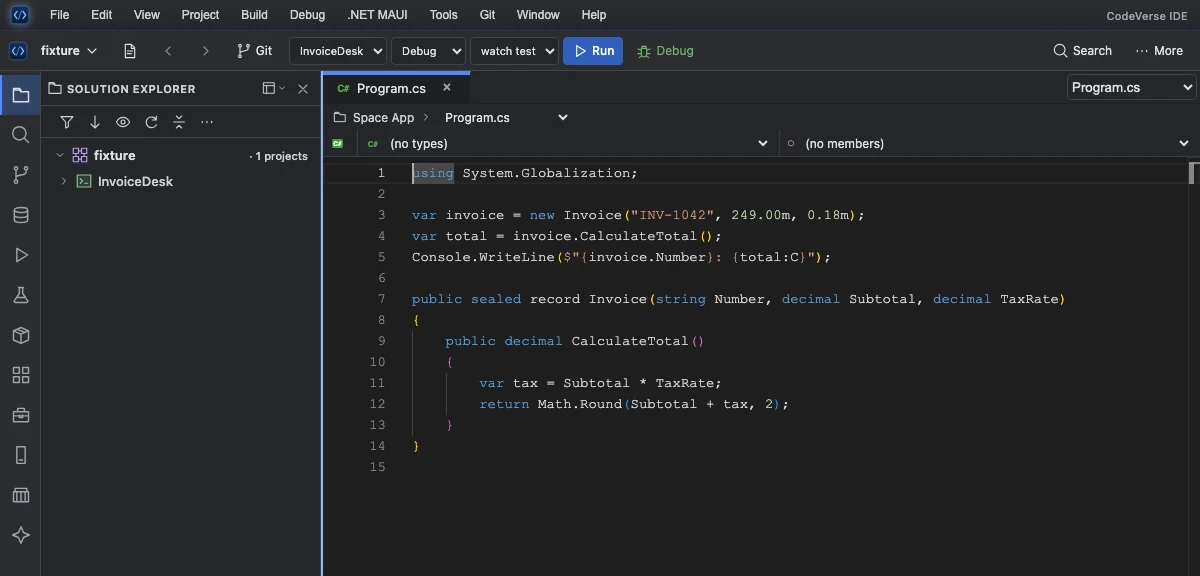
Roslyn IntelliSense for C#, VB.NET and C# in Razor components. Find symbols and references, apply quick fixes, and work in split or floating editors.
Editor featuresOpen .slnx and .sln solutions, edit C#, VB.NET and Razor, and see saved changes with Hot Reload. Work with Git, databases and HTTP requests from the same IDE.
.slnx solutions directlyChoose an XML .slnx file or a classic .sln file in Open Project / Solution. Solution Explorer loads the projects referenced by the solution you opened.
.NET 10 creates .slnx files by default when you run dotnet new sln. For .NET Framework projects that use legacy MSBuild on Windows, use the classic .sln format.
Roslyn IntelliSense for C#, VB.NET and C# in Razor components. Find symbols and references, apply quick fixes, and work in split or floating editors.
Editor featuresChoose a launch profile, start several projects with Multi-Run, and use Hot Reload for supported projects. Debug with breakpoints and run tests from Test Explorer.
Build and run featuresUse Codex CLI for Ask and inline Generate with your existing ChatGPT sign-in. Review generated edits before applying them. Provider options also include OpenAI and Claude.
AI featuresReview side-by-side diffs, stage individual hunks, resolve conflicts and browse branch history. Share a workspace and run output with Live Share.
Git and collaborationOpen SQL queries and results in editor tabs. Build HTTP requests with environments and save collections alongside the project.
Database and API featuresUse the native WinForms designer, WPF/XAML preview and WebForms Design view. Build supported .NET Framework projects and work with installed DevExpress controls.
Windows designersComing from Visual Studio? Compare the workflows, solution formats and platform requirements.
Explore the tools included in CodeVerse IDE 2.0.0.
@file and @codebase context.csproj, .vbproj files and project foldersFeatures marked Windows require Windows. Visual designers, the debugger, Database Studio and API Studio are Pro features included in the trial.
Edit WinForms layouts, preview WPF XAML and open WebForms pages in Design, Split or Source view.
The genuine DesignSurface hosts real controls — including skinned DevExpress grids and ribbons — with selection handles, undo and event wiring.
Type XAML, watch the window render beside it. Instant feedback without launching the app.
ASPX pages render with their real CSS in Design view. Drop server controls, edit properties, wire events.
DevExpress
| Group | Example controls | Status |
|---|---|---|
| Data | GridControl, TreeList | skinned |
| Editors | TextEdit, LookUpEdit, DateEdit… | skinned |
| Buttons | SimpleButton, CheckEdit | skinned |
| Bars & Ribbon | Ribbon, Bar Manager | skinned |
| Navigation | AccordionControl, NavBar | skinned |
Legacy .NET
Quick start
Get the Windows x64 Setup.exe or the Apple Silicon .pkg from Downloads. Both bundles include the runtime needed to launch the IDE.
Use Open Project / Solution to select a .slnx, .sln, .csproj, .vbproj or project folder.
Select a startup project and build configuration. Use Run or Debug from the toolbar, or choose Hot Reload from More for supported projects.
Pricing
Every account begins with a 30-day full-featured trial — no card needed. After that, keep coding free forever on Community, or unlock everything with Pro. And the full version is free through 2027 — its last free year.
Community
₹0 / forever
Free after your 30-day Pro trial
Pro Monthly
₹799 / month
Cancel anytime
Pro Yearly
₹7,990 / year
Like ₹666 a month, billed once a year
Payments via Razorpay — UPI, cards and netbanking. Your plan activates the moment payment is verified. Got a coupon code? Apply it at checkout. Already have an account? Upgrade from your dashboard.
What's new
Every CodeVerse IDE release, newest first. Sign in with a free developer account to download.
Loading releases…
.slnx XML solutions and classic .sln solutions directly. You can also open .csproj, .vbproj, or a project folder.@code blocks. Templates include Blazor Web App and Blazor WebAssembly.Self-contained installers for Windows 10/11 x64 and Apple Silicon Macs.